  sherrywang163       +8615989127990      sales@oawell.com
Please Choose Your Language
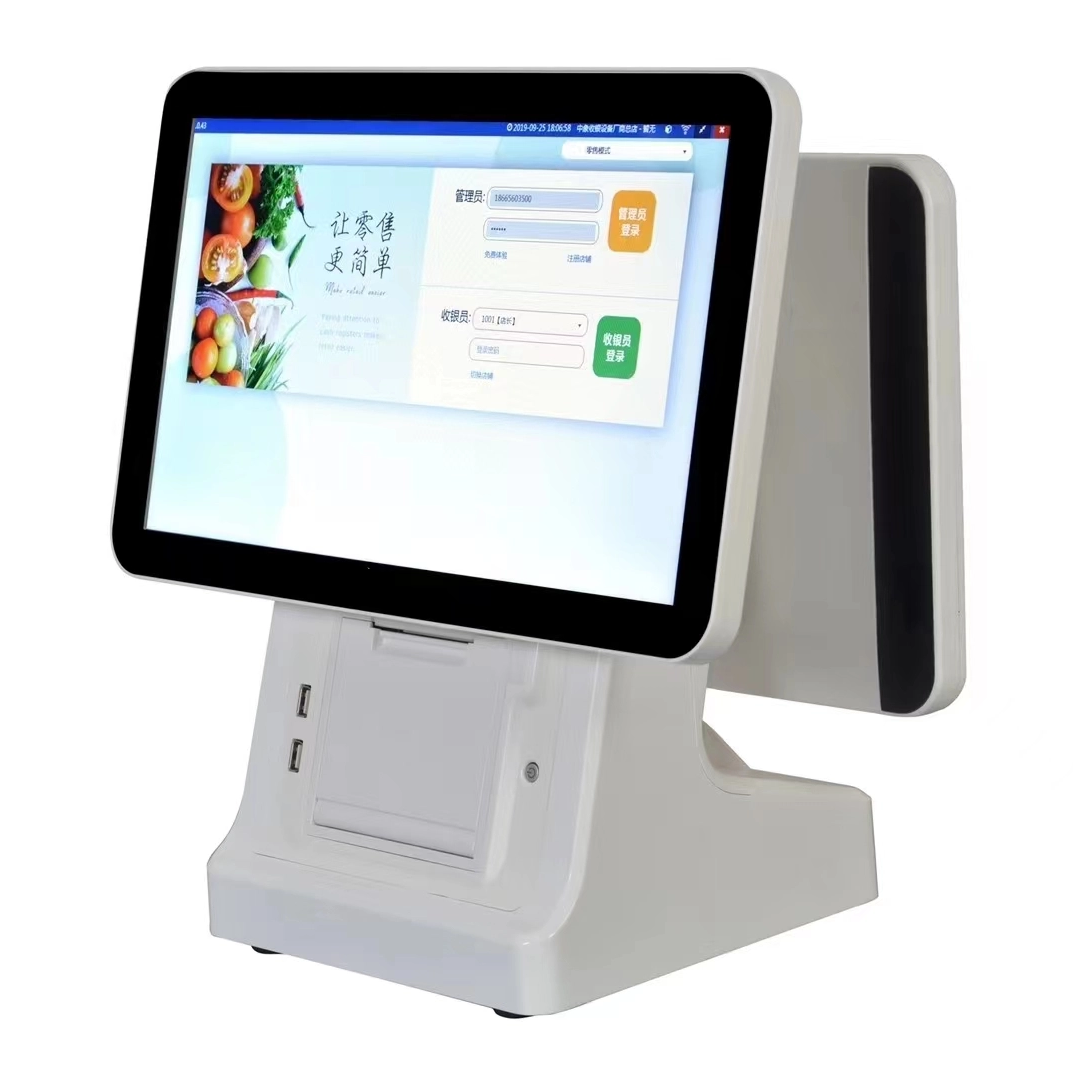
Dual screen15.6 ” all in one POS machine With POS receipt thermal Printer White color
You are here: Home » POS.KIOSK » POS System » 15.6 Inch POS Terminal » Dual screen15.6 ” all in one POS machine With POS receipt thermal Printer White color

loading

Share to:
facebook sharing button
twitter sharing button
line sharing button
wechat sharing button
linkedin sharing button
pinterest sharing button
whatsapp sharing button
sharethis sharing button

Dual screen15.6 ” all in one POS machine With POS receipt thermal Printer White color

OA-900L-W  is  one of OAWELL all in one touch screen POS terminal with build-in 58 mm/ 80 mm thermal receipt printer pos machine in Capacitive touch pos , it can also support Barcode build-in with pos all in one together , can adding NFC function , wifi, Bluetooth , MSR also  .
 
This POS device  , can choose in different color , can do Full black color , full white color ,  Black +Orange color , White+Orange color .  Can do 15,6 screen inch size , 15 inch screen size ,13.3 inch screen size , 11.6 inch screen size  , 9.7 inch screen size  . Can adding second screen customer display  from 7 inch size , 11.6 inch , 13.3 inch , 15.6 inch size  second screen customer display  for choose  . 
 
This POS can do Windows OS in Intel i3 ,intel i5 , intel i7  from different generation , also can do Android OS  .
 
We support OEM customezition making for each POS  for different brand in all over the world , pls kindly contact us for detail and best price 
Availability:
Quantity:
  • OA-900L-W

  • OAWELL

All-In-One self service  touch screen POS  15.6” tills with the following specifications

i. Core i5 processor

ii. RAM Up to 8 G or higher

iii. SSD Storage up to 128G ssd or higher

iv. Operating System – Windows 10 Pro or higher

v. Interfaces – Up to 6 USB interfaces (USB3.0 x 2 , USB2.0 x 4, USBC type x 1 and internal USB2.0 x 2, Cash Drawer Port, Serial Comm x 3, Gigabit Ethernet x 1, VGA port and HDMI port

vi. Peripherals to include, build-in 80 mm thermal receipt printer with lock ”, 2D barcode scan , NFC, Handhold pos holder , WiFi/BT etc.


We support OEM customezition making for each POS  for different brand in all over the world , pls kindly contact us for detail and best price

Previous: 
Next: 

FAQ

  • Q What Is the Difference Between a 58mm and an 80mm Thermal Receipt Printer?

    A

    The main difference is the supported paper width. A 58mm thermal printer is often used for compact receipts and space-constrained installations, while an 80mm printer can accommodate wider receipts with more room for item details and business information. Choose a printer based on your receipt layout, POS software settings, paper availability, connection interface, and installation requirements.

  • Q What Connectivity Options Should I Check Before Buying a POS Terminal?

    A

    Common connectivity options include USB and LAN, while some models also offer Wi-Fi, Bluetooth, serial ports, or optional NFC readers. The available interfaces differ by model and configuration. Check the number and type of ports required for your printer, scanner, cash drawer, network connection, and other accessories before confirming your order.

  • Q Can a POS Terminal Be Customized with a Built-in Thermal Printer?

    A

    Selected POS models can be configured with an integrated thermal receipt printer, while other models use a separate printer. Availability depends on the terminal design, printer width, internal space, and required interfaces. When requesting a customized solution, specify the screen size, printer width, operating system, and any additional peripherals you need.

  • Q How Do I Choose the Right POS Terminal for My Business?

    A

    The right POS terminal depends on your business type, POS software, daily transaction volume, available counter space, and required peripherals. Retail stores and supermarkets may need barcode scanners and cash drawers, while restaurants may benefit from dual-screen terminals and integrated receipt printers. Before choosing a model, confirm the operating system, processor, memory, storage, screen size, and connectivity options.

  • Q Should I Choose a Windows or Android POS System?

    A

    Windows POS systems may be suitable for businesses that rely on Windows-based applications or existing PC software. Android POS systems can be a practical option for compatible Android applications and simplified operating environments. Before ordering, check software compatibility, driver requirements, processor performance, memory, peripheral interfaces, and whether your application provider supports the selected operating system.

QUICK LINKS

PRODUCT CATEGORY

NEWSLETTER

Subscribe to the latest news

SOCIAL NETWORKS

Copyright © 2024 OAWELL Products Co., Ltd.  All Rights Reserved.  Sitemap I Privacy Policy