  sherrywang163       +8615989127990      sales@oawell.com
Please Choose Your Language
Integrated POS Hardware for OEM & Bulk Projects

All-in-One POS Terminals with Built-in Printers

Bring touchscreen operation, receipt printing and optional customer-facing displays into one configurable POS hardware platform for retail and restaurant counters.

Integrated thermal printing Single or dual screen Windows or Android options
OAWELL all-in-one POS terminal with integrated receipt printer
Touchscreen Operator display
58 / 80 mm Printer options by model
Dual Screen Customer display options
OEM / ODM Project configuration
Product Selection

Explore POS Terminals with Integrated Printing

Start with the counter layout, receipt width, customer display and software environment. Final specifications should be confirmed for each order.
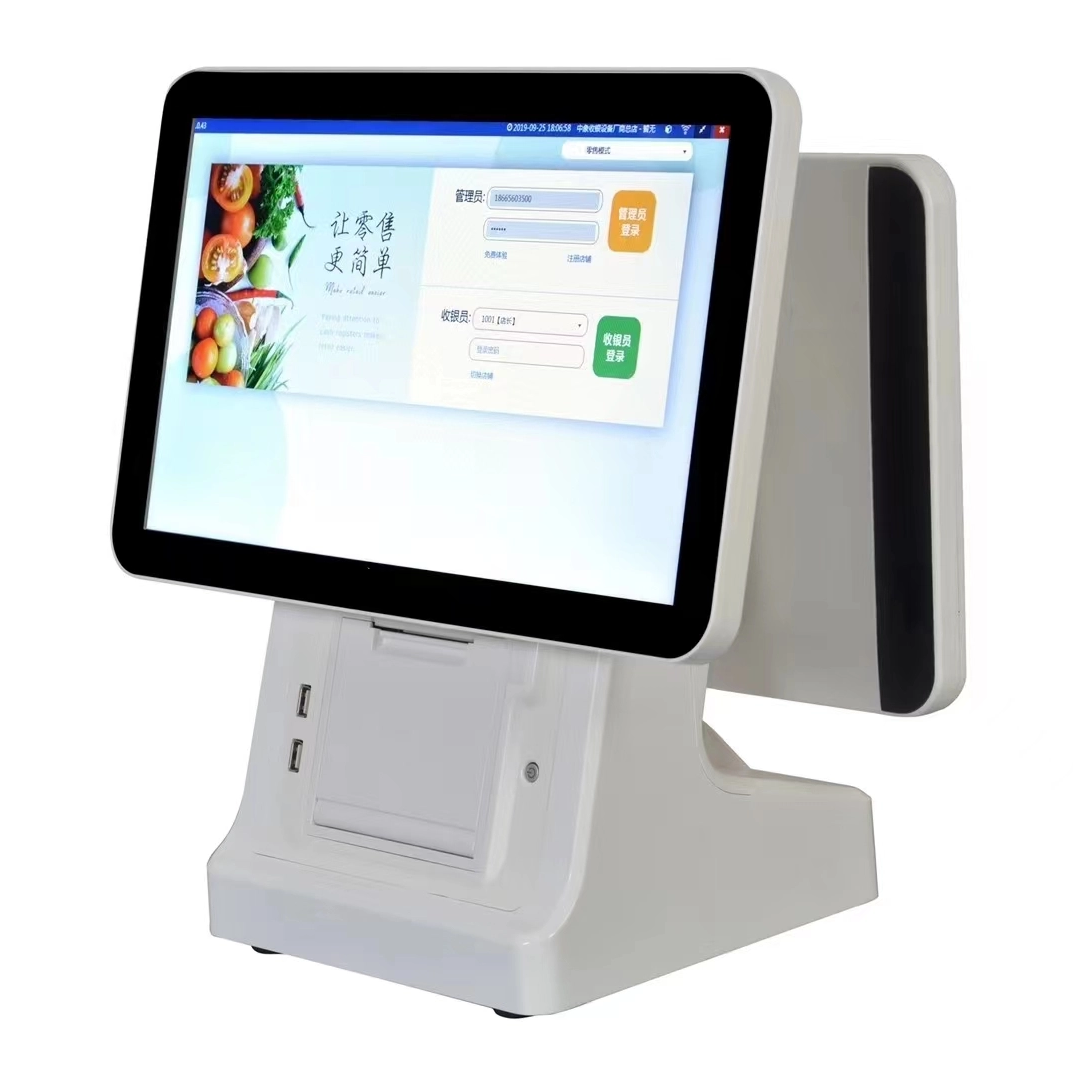
OA-900A 15.6 inch POS terminal with thermal printer
OA-900A

15.6″ POS Terminal with Thermal Printer

  • 15.6″ capacitive touch display
  • Integrated 58 / 80 mm printer options
  • Optional second display and NFC reader
  • LAN; Wi-Fi available by configuration
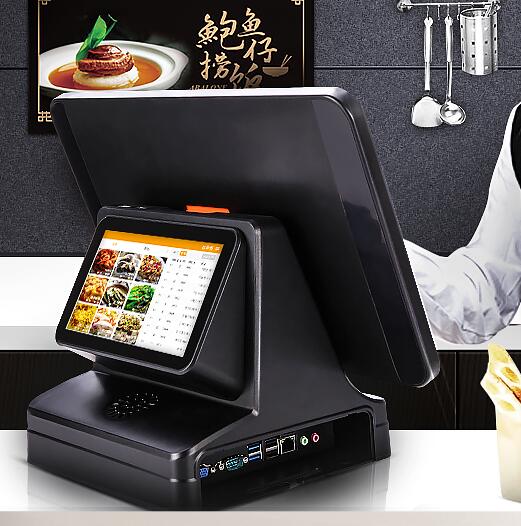
OA-900LB dual screen POS system with 80mm printer
OA-900LB

Dual-Screen POS with 80 mm Printer

  • 15.6″ or 13.3″ main screen options
  • Integrated 80 mm thermal printer
  • Optional 7″–13.3″ customer display
  • LAN, Wi-Fi and optional NFC
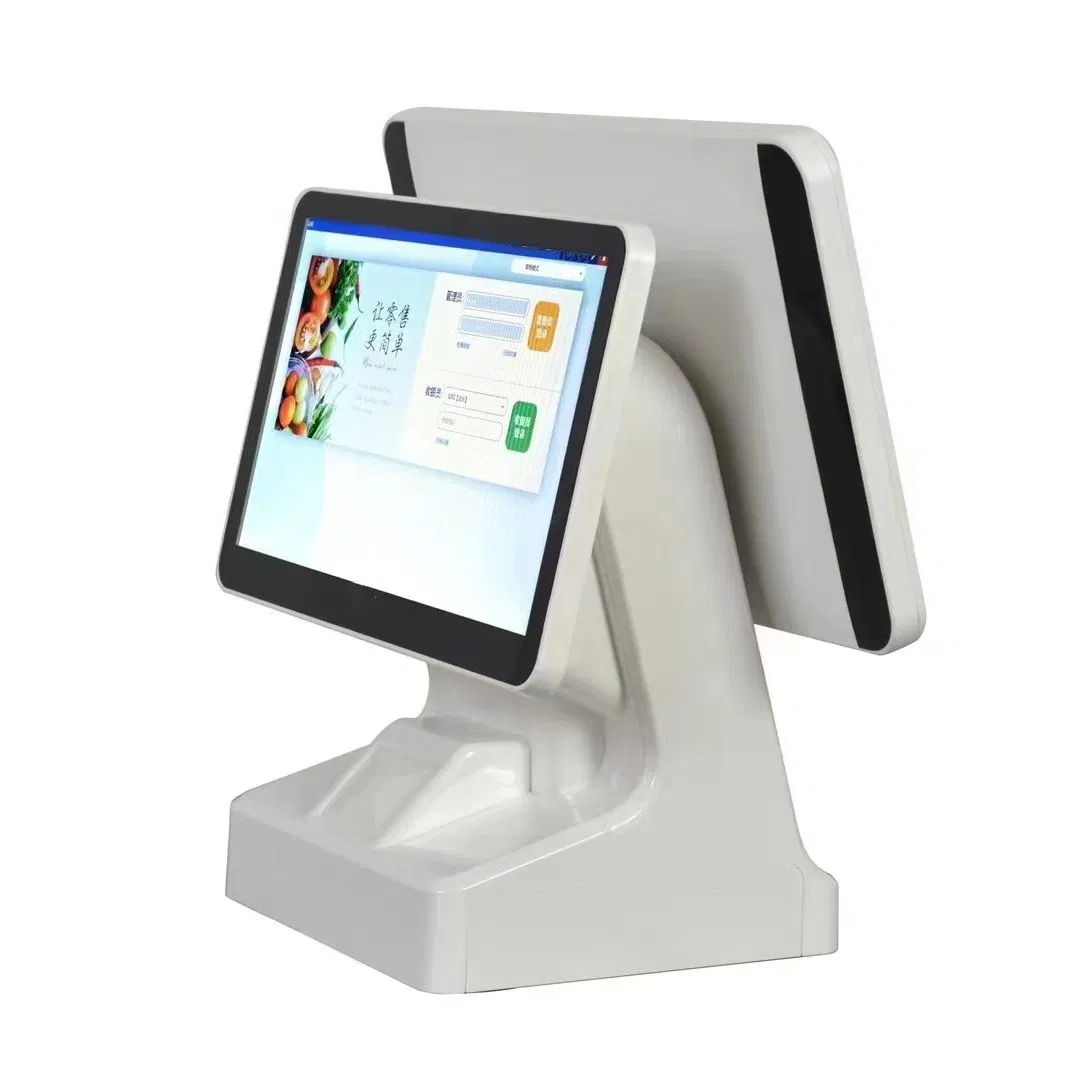
OA-900L-W white all-in-one POS terminal
OA-900L-W

White All-in-One POS Terminal

  • 15.6″ touch configuration shown
  • 58 / 80 mm built-in printer options
  • Customer display size options
  • Windows or Android hardware versions
POS touchscreen, printer and customer display combined in one terminal
Integrated Counter Hardware

Bring Touchscreen Operation and Receipt Printing Together

A POS terminal with printer combines the operator display, computing hardware and receipt output in one counter-ready enclosure. This simplifies hardware planning without assuming that business software or payment services are included.

  • One physical platformCoordinate the display, printer and computing configuration before deployment.
  • Cleaner peripheral planningConfirm ports for scanners, cash drawers, networks and other project accessories.
  • Serviceable configurationMatch paper width, screen arrangement and hardware access to the counter workflow.
Explore Thermal Printers
Configuration Guide

Choose Your Screen, Printer and Customer Display

Use this planning matrix to prepare a precise RFQ. Availability and final combinations vary by model.

Selection Point Questions to Confirm Typical Direction Why It Matters
Main screen Required software layout and counter viewing distance? 13.3″ or 15.6″ options on selected models Sets the operator workspace and terminal footprint.
Receipt printer Receipt width, roll availability and output volume? 58 mm or 80 mm by model/configuration Must match receipt design and operational needs.
Customer display Price confirmation only, or richer content? Multiple optional display sizes Second-screen content depends on connected software.
Operating environment Which application, OS, drivers and peripherals? Windows or Android hardware versions Compatibility should be tested before bulk rollout.
Connections Scanner, cash drawer, LAN, Wi-Fi, NFC or other devices? Ports and wireless options vary Avoids adapters and missing interfaces on site.

Note: screen, printer, OS, processor, memory, storage and interface combinations are order-specific. Request a confirmed specification sheet before purchase.

System Planning

Match the POS Hardware to Your Software

Select hardware around the existing application, drivers and peripheral requirements—not the operating system name alone.

W

Windows POS Terminal

Suitable when the project uses Windows-based POS applications or PC peripherals. Confirm the required Windows version, processor generation, drivers and licenses.

A

Android POS Terminal

A practical direction for compatible Android applications. Confirm the application version, device architecture and peripheral support before production.

I/O

Peripheral Compatibility

Prepare an interface list for barcode scanners, cash drawers, customer displays, payment devices, networks and external printers, then validate a sample.

Applications

POS Hardware for Retail and Restaurant Counters

The same terminal format can serve different workflows when the display, printer and peripheral configuration is selected around the application.

Retail Checkout

Plan ports for barcode scanners, cash drawers and network access, plus the receipt width required by the store's software.

Restaurant Counters

Combine touch order entry with receipt output and consider a customer-facing display where supported by the ordering software.

Chain Rollouts

Standardize the approved hardware, image, interfaces and accessories after sample testing to support repeatable deployment.

OEM & ODM

Configure POS Terminals for Your Brand

Share your software environment, screen and printer requirements, target appearance and expected order quantity. OAWELL can then review feasible hardware and branding options for sample confirmation.

Brand Presentation Logo and color requests subject to project review.
Display Layout Main-screen and customer-display options by model.
Hardware Platform Processor, memory, storage and OS direction.
Peripheral Plan Printer width, scanner, NFC and connectivity needs.
Procurement Support

Prepare for Sample Testing and Bulk Orders

A structured approval process helps distributors and integrators confirm software compatibility before scaling the order.

1

Define Requirements

Share software, OS, display, printer, interfaces, accessories, branding, quantity and destination.

2

Confirm & Test a Sample

Review the proposed configuration, connect required peripherals and validate the application workflow.

3

Approve Bulk Configuration

Freeze the approved specification and confirm production, packing and shipping requirements.

FAQ

POS Terminals with Printer FAQs

Answers for buyers comparing integrated printers, customer displays, software platforms and OEM orders.

Does the POS terminal include a built-in receipt printer?

The featured models support integrated receipt printing, but printer width and standard versus optional supply differ by model. Confirm whether your selected configuration uses 58 mm or 80 mm paper.

Can I add a customer-facing display?

Selected models offer customer-display options in several sizes. What the display shows—such as order details or promotional content—depends on your POS application and display setup.

Should I choose Windows or Android POS hardware?

Choose according to your existing POS software, required drivers, processor needs and peripheral compatibility. Confirm the exact OS version and test the application on a sample.

Can it connect to a barcode scanner and cash drawer?

Many configurations provide interfaces for POS peripherals, but the type and quantity of ports vary. Send the model and connection requirements for every peripheral before ordering.

Is POS software included with the hardware?

Do not assume that business software or payment services are included. Confirm the supply scope for the operating system, POS application, licenses and any integration work in the quotation.

What is needed for an OEM or bulk quotation?

Provide expected quantity, destination, screen size, operating system, processor/memory/storage direction, printer width, customer display, peripherals, interfaces and branding requirements.

Project Inquiry

Build the Right POS Hardware Configuration

Tell OAWELL how the terminal will be used. A detailed request makes it easier to confirm a suitable sample and accurate bulk quote.

  • Software and operating system
  • Screen and customer display
  • Printer width and peripherals
  • Quantity, branding and destination

Email: sales@oawell.com
WhatsApp: +86 159 8912 7990

Submitting opens OAWELL's contact page. You can also email your complete specification to sales@oawell.com.

FAQ

  • Q What Is the Difference Between a 58mm and an 80mm Thermal Receipt Printer?

    A

    The main difference is the supported paper width. A 58mm thermal printer is often used for compact receipts and space-constrained installations, while an 80mm printer can accommodate wider receipts with more room for item details and business information. Choose a printer based on your receipt layout, POS software settings, paper availability, connection interface, and installation requirements.

  • Q What Connectivity Options Should I Check Before Buying a POS Terminal?

    A

    Common connectivity options include USB and LAN, while some models also offer Wi-Fi, Bluetooth, serial ports, or optional NFC readers. The available interfaces differ by model and configuration. Check the number and type of ports required for your printer, scanner, cash drawer, network connection, and other accessories before confirming your order.

  • Q Can a POS Terminal Be Customized with a Built-in Thermal Printer?

    A

    Selected POS models can be configured with an integrated thermal receipt printer, while other models use a separate printer. Availability depends on the terminal design, printer width, internal space, and required interfaces. When requesting a customized solution, specify the screen size, printer width, operating system, and any additional peripherals you need.

  • Q How Do I Choose the Right POS Terminal for My Business?

    A

    The right POS terminal depends on your business type, POS software, daily transaction volume, available counter space, and required peripherals. Retail stores and supermarkets may need barcode scanners and cash drawers, while restaurants may benefit from dual-screen terminals and integrated receipt printers. Before choosing a model, confirm the operating system, processor, memory, storage, screen size, and connectivity options.

  • Q Should I Choose a Windows or Android POS System?

    A

    Windows POS systems may be suitable for businesses that rely on Windows-based applications or existing PC software. Android POS systems can be a practical option for compatible Android applications and simplified operating environments. Before ordering, check software compatibility, driver requirements, processor performance, memory, peripheral interfaces, and whether your application provider supports the selected operating system.

QUICK LINKS

PRODUCT CATEGORY

NEWSLETTER

Subscribe to the latest news

SOCIAL NETWORKS

Copyright © 2024 OAWELL Products Co., Ltd.  All Rights Reserved.  Sitemap I Privacy Policy